Coral USB TPU for Frigate: Does the £60 Accelerator Still Matter?
The little stick that made local object detection affordable, and why Frigate's own docs now hedge on recommending it

Contents
For years, “buy a Coral USB TPU” was the single most common piece of advice given to anyone setting up Frigate for local, subscription-free camera object detection. It was cheap, it plugged into anything with a USB port, and it turned object detection from a CPU-melting chore into something a Raspberry Pi could handle. Frigate’s own recommended-hardware documentation in 2026 has quietly walked that recommendation back, though, and it’s worth understanding exactly why before defaulting to the stick everyone still tells you to buy.
A brief history of the recommendation
Frigate’s rise as the local, self-hosted alternative to cloud NVR subscriptions tracked almost exactly with the Coral’s availability and price. Before the Coral became a common accessory, real-time object detection on camera footage meant either a genuinely powerful CPU burning through frames far too slowly for a live feed, or an early Nvidia GPU that cost several times what the Coral did and drew a lot more power doing it. The Coral landed in the middle: a purpose-built accelerator cheap enough to be an impulse buy, low-power enough to run fanless in a small box, and simple enough to plug in over USB rather than requiring a PCIe slot most small NVR hosts didn’t have. That combination is exactly why it became the default recommendation for years, and why so much existing Frigate documentation, forum advice, and YouTube setup guide still points at it as the obvious first accessory to buy.
What the Coral actually does
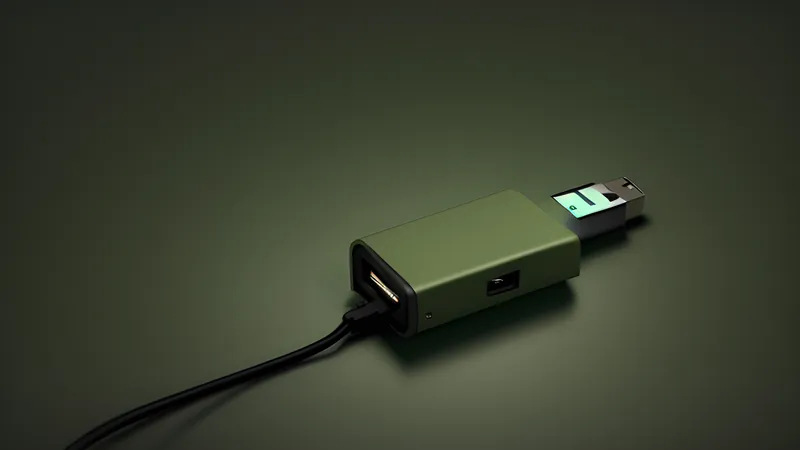
Google’s Coral USB Accelerator wraps an Edge TPU chip — a small application-specific processor purpose-built for running quantised TensorFlow Lite models — in a USB stick enclosure that plugs into any host with a spare USB 3.0 port. On a well-optimised model like SSD MobileNet V2, the Coral genuinely delivers: inference times around 10 milliseconds and throughput well over 100 inferences per second are achievable, fast enough that the host CPU barely notices object detection is happening at all. For the specific job of “is there a person-shaped thing in this frame, and roughly where,” running on a well-supported model, the Coral remains capable hardware. Nothing about the silicon itself has gotten worse since it launched.
Where the ground shifted
What’s changed is the model landscape around it. The Coral’s Edge TPU only runs models compiled specifically to its own TFLite format, and in practice that means the realistic model choice is still SSD MobileNet V2 — the same model most Coral users have been running since the accelerator launched. Newer, meaningfully more accurate detection architectures like YOLOv8 depend on community-compiled conversions to run on the Edge TPU at all, and those conversions frequently include operations the Edge TPU doesn’t support natively, which forces those unsupported layers back onto the CPU. That partial fallback quietly erodes most of the benefit of having dedicated accelerator hardware in the first place — you’re paying the latency cost of a CPU round-trip for part of the pipeline regardless of the TPU handling the rest.
Meanwhile, the alternatives have moved. Frigate’s own hardware documentation for 2026 now points newcomers toward Hailo-8 and Hailo-8L accelerators, Intel’s integrated GPU or NPU via OpenVINO on any recent Intel-based mini PC, or a discrete GPU where one’s already in the box — all of which support newer, more accurate model architectures natively rather than through community workarounds. The explicit guidance is that Coral is “no longer recommended for new Frigate installations,” reserved instead for a specific set of situations: a handful of cameras, an existing Coral already owned, an older Raspberry Pi 4 where USB is genuinely the best interface on offer, or a kernel older than 5.15 where the legacy gasket driver still works without needing DKMS patches to build against a current kernel.
Second-hand Corals and the price it actually needs to hit
Because so many earlier Frigate builds bought one of these during its years as the default recommendation, the second-hand market has a steady supply of Coral USB Accelerators changing hands at a fraction of original retail. That’s the price point where the calculation flips back in the Coral’s favour even for a slightly larger build: at a genuine bargain price, picking one up as a second detector to spread load across more cameras, or as a spare for a build that’s already running one successfully, is a sensible way to extend a working setup without paying full price for newer accelerator hardware you don’t strictly need yet.
Where the Coral is still the right call
None of that makes the Coral obsolete for everyone. If a setup is running one to three cameras on a low-power host that’s never going to get a GPU or an NPU — an older Pi, a small ARM board, anything without a PCIe slot or a modern integrated GPU — a USB Coral remains a cheap, low-power way to get real hardware-accelerated detection rather than falling back to CPU-only inference, which on modest hardware can mean inference times an order of magnitude worse. It’s also still the right answer for anyone with one already sitting in a drawer from an earlier Frigate setup: there’s no compelling reason to throw out working, capable hardware just because it’s no longer the top recommendation for new buyers.
Coral versus the current field
Lined up against 2026’s alternatives, the Coral’s case gets harder to make on pure capability. A Hailo-8L accelerator costs more but runs newer YOLO-family models natively, with meaningfully better accuracy at similar or better latency, and doesn’t carry the Edge TPU’s narrowing compatibility problem. An Intel iGPU or NPU accessed via OpenVINO is effectively free performance on any host already running a recent Intel chip — the kind of box plenty of homelabs already have doing NVR duty, like a Beelink EQ13 running as a whole-home server or an Odroid H4 always-on box — no extra hardware purchase required at all. The comparison isn’t close on paper for a fresh build with either of those hosts already in play; it only tilts back toward Coral when the host genuinely has nothing better on offer, which is a narrower set of circumstances than it used to be.
Setting it up
The Coral needs its own driver stack installed before Frigate can see it, and getting that right is most of the actual setup work:
| |
The Frigate Docker image bundles the Edge TPU runtime already, but the host still needs the USB device correctly passed through to the container, and on Linux hosts that usually means adding a device rule so Docker sees it reliably across reboots rather than only when plugged in fresh:
| |
The two vendor IDs matter because the Coral enumerates differently before and after the runtime loads its firmware onto the device — it briefly appears as one USB device, then re-enumerates as another once the accelerator firmware is running, and a udev rule that only matches one of the two IDs will work intermittently and confusingly.
Power draw and the PCIe alternative
The USB Coral is a genuinely low-power accessory — small enough that it can be powered off a USB 2.0 port’s budget without issue, and it adds a negligible amount to a host’s overall power draw compared to running the equivalent detection load on CPU, which spins fans up and pulls noticeably more from the wall on any host actually working hard enough to keep up without it. Google also sells a PCIe (M.2 and mini-PCIe) version of the same Edge TPU silicon, aimed at hosts with a spare M.2 slot rather than a USB port; it carries the identical model-compatibility limitations as the USB version since it’s the same Edge TPU underneath; the only real difference is the interface and a marginally lower host-side overhead per inference. Anyone deciding between the two should pick based on which physical interface their host actually has spare, not on any expectation of different capability.
Troubleshooting
Frigate logs show the detector falling back to CPU. Confirm the device actually passed through to the container — lsusb inside the Frigate container should show the Coral listed, and if it doesn’t, the device mapping in the Docker Compose file is the first thing to check, not the Frigate configuration itself.
Detection works but inference times are much higher than expected. Check whether the model in use is genuinely Edge-TPU-native or a community conversion with fallback operations — Frigate’s logs typically note when a model includes CPU-executed operations, and switching back to the stock SSD MobileNet V2 model that ships with Frigate is the fastest way to confirm whether the model choice, rather than the hardware, is the bottleneck.
The Coral works after a fresh boot but disappears after a container restart. This usually traces back to the two-stage USB enumeration mentioned above — a udev rule matching only the pre-firmware vendor ID will let the device through on first boot (before Frigate’s runtime touches it) but not on a container restart where the device is already in its post-firmware state. Match both vendor IDs, as above.
Multiple cameras cause the single Coral to become a bottleneck. A single USB Coral has a real throughput ceiling, and Frigate will happily queue frames from several concurrent camera streams against it, which shows up as growing detection latency rather than an outright failure. Above roughly three to four actively-monitored cameras doing real-time detection, a second Coral (Frigate supports multiple detectors), or a move to one of the newer accelerator types mentioned above, is the more sustainable fix than continuing to add cameras against one stick.
DKMS build failures for the gasket driver on newer kernels. This is exactly the scenario Frigate’s docs now warn about — the legacy Coral kernel driver doesn’t build cleanly against every current kernel without patches, and on a host that’s otherwise going to be running a recent kernel, this is worth weighing before committing to Coral for a new build rather than discovering the build failure after the hardware’s already been bought.
A newly bought Coral is noticeably slower than the figures everyone quotes online. Confirm the host USB port is actually USB 3.0 and not a USB 2.0 port sharing a hub with other devices — the Coral’s rated performance figures assume a clean USB 3.0 connection, and a USB 2.0 fallback measurably increases the per-frame overhead of shuttling image data to and from the accelerator, even though the Edge TPU chip itself is doing the same work either way.
Is it still worth buying
For a brand new Frigate build in 2026 with more than a couple of cameras, or any appetite for the newer, more accurate detection models, the honest answer is that Frigate’s own documentation has a point: a Hailo accelerator or an Intel iGPU/NPU path via OpenVINO is the more future-proof choice, and it avoids the Edge TPU’s narrowing model-compatibility problem entirely. For a small, low-power setup — a couple of cameras, an older Pi-class host, or simply a Coral already owned from an earlier build — it remains genuinely useful, cheap hardware doing exactly what it was designed to do. The stick hasn’t gotten worse; the rest of the ecosystem has simply moved past the specific job it was built for, and it’s worth checking your own camera count and host hardware against that shift before buying one purely on reputation. The genuine test is arithmetic rather than reputation: count the cameras, check what the host already has spare, and price a Hailo or a software path against a Coral before defaulting to the name everyone still recommends out of habit.
Related Content