The Best Portable SSD for the Money: The SLC-Cache Reality
The number on the box is the burst speed, not the speed that matters for a big transfer
Contents
Every portable SSD box quotes a headline speed — “up to 1,050MB/s,” “up to 2,000MB/s” — measured against a test file small enough to finish before the drive’s real limitation ever kicks in. Copy a 40GB folder of video files instead of a 2GB test clip, and a meaningful number of popular portable SSDs will visibly slow down partway through, sometimes dropping to a fraction of the advertised figure. That’s not a faulty drive. It’s SLC caching doing exactly what it’s designed to do, and understanding it is the difference between buying the right drive for what you actually move and buying a drive that benchmarks brilliantly and disappoints in practice.
How SLC caching actually works
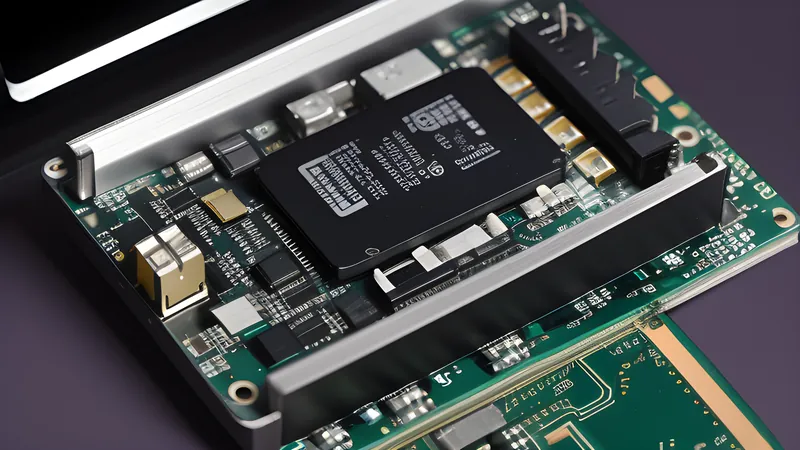
Flash memory stores data as electrical charge in cells, and the number of bits packed into each cell is a direct trade-off between cost and speed. Single-level cell (SLC) memory stores one bit per cell and is fast and durable, but expensive per gigabyte. Consumer drives instead use triple-level cell (TLC) or quad-level cell (QLC) memory, storing three or four bits per cell, which is far cheaper to manufacture but slower to write to natively, because packing more states into one cell means more precise, slower voltage operations to set it.
The workaround nearly every consumer SSD uses, portable or internal, is to reserve a portion of that TLC or QLC memory and run it temporarily in fast SLC mode — write one bit per cell instead of three or four — building a cache that absorbs incoming data at high speed. That’s the number on the box. Once that cache fills, the controller has to start writing directly to the native TLC or QLC cells at their true, much slower speed, and simultaneously flush the cached data out of SLC mode in the background to free it back up. That transition is the “cliff” — a sudden, visible drop in transfer speed partway through a large copy that catches out anyone who bought on the headline number alone.
Why the drop varies so much between drives
How bad the cliff is depends on three things a spec sheet rarely spells out clearly: how large the SLC cache is relative to the drive’s total capacity, whether the cache is a fixed reserved size or dynamically sized from free space, and what the native write speed of the underlying NAND actually is once the cache is exhausted.
QLC-based drives feel this hardest. Because QLC starts from a slower native write speed to begin with, the fall from cached to uncached performance is the steepest — some budget QLC portable SSDs drop from four figures to well under 100MB/s once the cache is spent, a speed closer to a mechanical hard drive than an SSD. TLC-based drives, which make up most of the well-regarded mid-range and premium portable lines, have a meaningfully faster native write speed to fall back to, so the cliff is real but far shallower — often still comfortably faster than USB 3.0 external hard drives even in the “slow” state. Dynamic caching, which borrows from whatever space is currently free rather than reserving a fixed chunk, means a nearly-full drive has a much smaller cache available than the same drive with plenty of headroom — so the cliff moves earlier in the transfer as the drive fills up over its lifetime, not just at purchase.
What this means for buying
The headline sequential speed on the box is a genuinely useful number for exactly one thing: comparing drives that use the same interface generation against each other for small-file, bursty work — game saves, photo imports, document backups, anything well under a few gigabytes at a time. For that use case, cache exhaustion never becomes relevant and the advertised figure is honest.
The number becomes actively misleading the moment your actual use case is large, sustained transfers — backing up a full video project, cloning a drive, moving tens of gigabytes of RAW photos in one session. For that buyer, the question that matters isn’t “what’s the peak speed” but “what’s the sustained speed once the cache runs out,” and that figure is almost never on the box. It has to be found in independent reviews that specifically test a transfer larger than the cache, which is why picking a drive on box-speed alone, for this use case, is picking somewhat blind.
The picks
Best all-rounder for mixed use — a TLC drive in the Samsung T7 line. Samsung’s T7 series is TLC-based and rated at up to 1,050MB/s read and 1,000MB/s write over USB 3.2 Gen 2, with a cache generous enough that the vast majority of everyday transfers never hit the native-speed floor, and a native fallback speed — because it’s TLC rather than QLC — that stays well ahead of any external hard drive even in the worst case. The T7 Shield variant adds a rubberised, IP65-rated shell for the same internals, worth the small premium if the drive is travelling in a bag rather than living on a desk.
Best for genuinely large, sustained transfers — a Gen 2x2 TLC drive rated near 2,000MB/s, such as the Samsung T9 or equivalent SK hynix and Crucial Gen 2x2 drives. These use the newer USB 3.2 Gen 2x2 interface at up to 20Gbps and pair it with TLC NAND, which matters more for this use case than the interface speed alone — the higher interface ceiling only helps if the NAND behind it can sustain a native write speed worth feeding it. This is the tier to buy specifically if your regular workload is measured in tens of gigabytes rather than single files, because the native fallback speed on this class of drive still comfortably beats older, cache-dependent designs.
Best budget pick, with an honest caveat — QLC-based drives from Crucial’s X-series or SanDisk’s entry tier. These are genuinely good value for the price per gigabyte and perform identically to the premium tier for anything that fits inside the cache, which for most casual users is most of what they do. The caveat is specific and worth repeating: if a single transfer regularly exceeds the cache size — commonly in the range of tens of gigabytes on these drives, shrinking further as the drive fills — expect a visible, sometimes dramatic slowdown partway through. Buy this tier knowingly, for the right workload, rather than being surprised by it.
Skip, regardless of price, any drive that won’t state its NAND type (TLC vs QLC) even when asked. This is one of the few reliable green/red flags in the category: a maker confident in TLC NAND generally says so, because it’s the better story to tell. Silence on the question is frequently, though not always, QLC.
The file system nobody mentions until it’s a problem
Most portable SSDs ship pre-formatted in exFAT specifically because it’s readable and writable natively by Windows, macOS and most modern Linux distributions and games consoles without extra software, unlike NTFS (native to Windows, read-only or requiring extra drivers elsewhere) or APFS (native to macOS, largely inaccessible on Windows without third-party tools). exFAT is the right default for a drive that’s genuinely moving between different machines and operating systems, which is the entire point of buying a portable SSD rather than an internal one. Where it falls short is large-scale reliability features: exFAT has weaker built-in resilience against corruption from an unclean disconnect than a journalling file system, so a drive doing serious cross-platform duty benefits from always using the “safely remove” function before unplugging, regardless of how fast or well-built the NAND inside it is. Reformatting to NTFS or APFS is worth considering only if the drive is genuinely going to live permanently with one operating system, since it trades the cross-platform convenience for a small resilience gain that most buyers don’t need.
Endurance, and why it matters less than you’d think for this category
Every NAND type also has an endurance rating — total bytes written (TBW) before the manufacturer’s warranty stops covering wear-related failure — and QLC’s four-bits-per-cell density does mean a lower TBW figure than an equivalent-capacity TLC drive, all else equal. For a portable SSD used the way most people actually use one — backups, transfers, archive storage rather than a constant read-write scratch disk — this rarely becomes the limiting factor in practice, because the total data written over the drive’s realistic lifespan stays well under even a QLC drive’s rated endurance for typical use patterns. It matters far more for a drive pressed into service as a constant working scratch disk for video editing or a database, where the write volume accumulates fast enough that the endurance gap between TLC and QLC becomes the more relevant number than the cache-cliff story this piece has focused on. Know which kind of user you are before treating TBW as a tie-breaker.
Interface and cable compatibility, the unglamorous failure point
The fastest drive in the world is bottlenecked instantly by the wrong cable or port, and this is where a genuinely good drive purchase gets quietly undone. A USB 3.2 Gen 2x2 drive rated near 2,000MB/s needs a cable rated for that bandwidth and a host port that supports Gen 2x2 specifically — plug it into an older Gen 1 port, which is still common on cheaper laptops and most older desktops, and the drive is capped at a fraction of its rated speed with no error message telling you why. This is the same badge-engineering problem that runs through the USB-C hub market: cable and port generations aren’t obviously labelled at a glance, so a drive that “isn’t as fast as advertised” is very often a cable or port limitation rather than anything wrong with the drive itself. Before buying the fastest tier, it’s worth confirming the machine it’s actually going to plug into most of the time can feed it — otherwise the sensible, cheaper TLC pick above delivers identical real-world performance for less money, because both are bottlenecked at the same lower ceiling anyway.
The materials side of the equation
Portable SSD build quality varies as much as the NAND choice inside it, and the two don’t always correlate the way you’d expect — a metal-shelled drive isn’t automatically the faster one, and several of the best-performing TLC drives ship in fairly plain plastic housings, with the metal or rubberised shell instead buying drop resistance and an IP rating rather than speed. The controller and NAND package generate real heat under sustained write load regardless of the shell material, and a metal enclosure with a direct thermal contact path to the controller does measurably help sustained-write thermal throttling on the fastest Gen 2x2 drives, where the controller is working hardest for longest. For the casual buyer this rarely matters; for the sustained-transfer buyer already choosing a TLC Gen 2x2 drive for the reasons above, a metal or metal-lined shell is worth the small extra weight.
For the enclosure side of this same NAND-and-controller equation applied to internal or bare drives rather than pre-built portables, our USB-C hub chipset piece covers the adjacent thermal- throttling story on the controller side of external storage; and if the SSD in question is destined to sit permanently on a desk fed through a single cable, see the best budget dock for a work-from-home laptop for the case against a bus-powered hub doing that job instead.
Related Content