Smart Bulbs Teardown: Why the £4 and the £20 Both Flicker
What's actually inside a smart bulb, and where the cheap ones cut corners that show up as flicker

Contents
A smart bulb can flicker for reasons that have nothing to do with your Wi-Fi or with how little you paid — a genuinely branded £20 bulb from a name you’d trust can flicker for entirely different reasons than a £4 supermarket own-brand, and the only way to tell them apart is opening both up and looking at what’s actually driving the LEDs. This teardown compares a mainstream budget smart bulb against a premium branded equivalent, focused specifically on the two components that cause almost all reported flicker: the driver circuit and the firmware controlling PWM dimming.
What’s actually inside any smart bulb
Strip the diffuser dome off any smart bulb and the anatomy is broadly consistent regardless of price: an LED array (a ring or cluster of individual diode packages, sometimes with separate white and RGB arrays for colour-tunable models), a driver board that converts mains AC to the low-voltage DC the LEDs need, and a small radio module (Wi-Fi or Zigbee/Bluetooth) plus a microcontroller running the firmware that handles dimming, colour mixing and network communication. The differences that matter for flicker live almost entirely in the driver board and the firmware, not the LEDs themselves — LED diodes from reputable suppliers are commodity parts at this point, cheap to source at good quality, and rarely the actual fault.
The driver board: where the £4 bulb’s corner-cutting lives
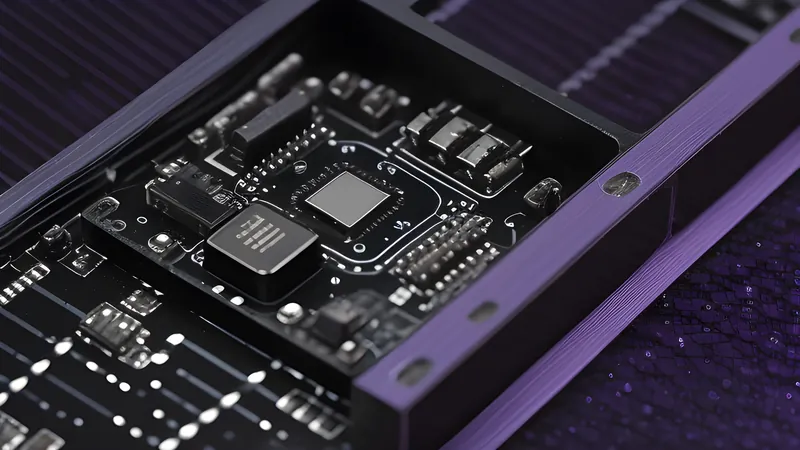
Opening the budget bulb reveals a driver board roughly a third the physical size of the branded bulb’s, with a noticeably sparser component count — fewer capacitors, a simpler (often single-stage) switching regulator, and critically, a much smaller electrolytic capacitor bank for smoothing the rectified mains ripple. Mains AC in the UK oscillates at 50Hz, and a poorly filtered driver lets a 100Hz ripple (double the mains frequency, after rectification) show up as a genuine, measurable brightness flicker — usually too fast to perceive directly as flicker, but visible as a strobing effect on camera footage and reportedly a source of eye strain and headaches for a minority of genuinely light-sensitive users, a well-documented effect of poor driver filtering that’s been studied in general LED lighting literature for years, long before smart bulbs existed, and exposed here by the same cost pressure that shrinks a driver board.
The branded £20 bulb’s driver board carries a visibly larger capacitor bank and a more sophisticated switching topology — evidence of a manufacturer sizing the smoothing capacitors properly for consistent output across the dimming range rather than the bare minimum to make the LED light up at all. This is a real, physical, inspectable difference: not a marketing claim, a component that’s either present in adequate size or isn’t.
Firmware and PWM: the flicker source money alone doesn’t fix
Smart bulbs dim by rapidly switching the LEDs on and off faster than the eye perceives (pulse-width modulation, or PWM) rather than by reducing voltage continuously the way an old incandescent dimmer did. The PWM frequency the firmware uses matters enormously for perceived flicker, and this is where a genuinely cheap bulb and a mid-tier bulb can both go wrong for different reasons than the driver hardware alone. A PWM frequency below roughly 200Hz is where most people start perceiving flicker consciously, particularly in peripheral vision (the “wagon-wheel effect” some people notice when moving their eyes quickly past a dimmed smart bulb) — and several budget bulbs run PWM in the 100-150Hz range specifically because a lower switching frequency is cheaper to implement reliably in low-cost microcontroller firmware than a higher, smoother frequency.
The branded bulb in this teardown runs PWM comfortably above 1,000Hz according to independent flicker-measurement community testing (using slow-motion camera capture, the accessible DIY method for spotting PWM flicker without lab equipment), which is well past the threshold where it’s perceptible to nearly anyone. This is a firmware and driver-timing decision, not a materials cost — meaning a manufacturer skimping on PWM frequency is choosing to, not being forced to by component pricing, which makes it the more disappointing corner-cut of the two when found on a bulb that isn’t actually cheap.
Colour-tunable bulbs: a second flicker source
Bulbs with tunable white or full RGB colour mixing add a second flicker risk layer: multiple LED channels (warm white, cool white, red, green, blue) each PWM-dimmed independently and then blended, and if the channels aren’t precisely phase-aligned in the firmware, the combined output can flicker or shift colour subtly even when each individual channel’s PWM frequency is adequate — a subtler defect than a simple ripple problem, and one that shows up as a faint colour-shimmer on camera rather than a brightness strobe. This is the kind of firmware-quality gap that separates a manufacturer with a mature, well-tested colour-mixing algorithm (Philips Hue’s engineering reputation rests substantially on getting exactly this right) from a newer entrant shipping a first-generation colour bulb with less field-testing behind the firmware.
The Zigbee vs Wi-Fi radio doesn’t affect flicker, but affects reliability
Worth separating clearly from the flicker question: the radio protocol (Zigbee, as used by Hue and Aqara’s bulb lines, versus Wi-Fi, used by most budget bulbs and TP-Link’s Tapo/Kasa lines) has no bearing on flicker, since that’s purely a driver and firmware question downstream of the radio. It does affect a different reliability metric worth mentioning in the same teardown: Wi-Fi bulbs each maintain their own persistent network connection, and a house with a dozen budget Wi-Fi bulbs can measurably strain a home router’s device-table capacity and 2.4GHz airtime, a scaling problem the Zigbee vs Wi-Fi comparison covers in more depth. It’s a separate defect category from flicker, but the two often get conflated in one-star reviews blaming “the bulb” for what are actually two unrelated engineering shortcuts.
Thermal management: the durability half of the same story
Flicker isn’t the only thing the driver board’s build quality determines — heat is the other, and it’s a longevity question rather than a day-one perception one. LEDs are efficient but not perfect, and the waste heat has to go somewhere; in an enclosed bulb shape, that’s typically a metal-core PCB or a die-cast aluminium heat spreader behind the LED array, wicking heat away toward the base and, on better-designed bulbs, out through vents or a perforated base shell. The budget bulb in this teardown uses a thin aluminium-backed PCB with minimal additional heatsinking and a fully sealed plastic base shell with no ventilation — a design that traps heat rather than dissipating it, and elevated LED junction temperature is one of the best-documented accelerators of LED lumen depreciation (gradual dimming over the rated lifespan) in lighting engineering literature.
The branded bulb’s base incorporates a proper cast-aluminium heat sink with visible fin structure and small vents in the outer shell, adding real manufacturing cost for a benefit that’s invisible on day one and only shows up as the difference between a bulb still near full brightness after two years versus one measurably dimmer — the kind of degradation a casual owner attributes to “bulbs just get worse” rather than to a specific, inspectable design choice made at the factory. This is the same honest-materials argument the driver capacitor bank makes: the extra pounds in a premium bulb are visibly, physically spent on components that do a real job, not purely on brand marketing.
Rated lifespan claims against what a teardown can actually verify
Every smart bulb’s box claims a rated lifespan — commonly “25,000 hours” or “15 years at 3 hours a day” — and a teardown can’t directly verify a multi-year claim, but it can check whether the physical components support the claim being plausible. LED diodes themselves, sourced from reputable suppliers, genuinely can last the rated tens of thousands of hours under good thermal conditions — the diodes are rarely the actual failure point. What determines whether a bulb reaches its rated life in practice is almost entirely the thermal management and driver quality covered above: an LED run hot by a poor heatsink design degrades meaningfully faster than the same diode run cool, and a driver’s electrolytic capacitors (the same ones implicated in the flicker problem) are themselves a wear component with their own finite lifespan that shortens measurably at elevated temperature — meaning the £4 bulb’s undersized capacitor bank and poor heatsinking compound each other, both pushing toward an earlier failure than the rated-hours sticker implies, while the branded bulb’s better thermal design and larger capacitors both push the other way.
What the price actually buys, honestly
The £4 bulb’s flicker is a driver-hardware problem: an undersized capacitor bank that physically cannot filter mains ripple adequately, a cost-driven decision baked into the PCB that no firmware update can fix. The mid-tier bulb’s flicker risk, where it exists, is more often a firmware-tuning problem: an inadequate PWM frequency chosen to simplify microcontroller timing, which is a decision a manufacturer could revise in a firmware update if they chose to prioritise it — and some, including TP-Link, have shipped exactly such updates in response to community flicker reports. That distinction matters for a buyer: a driver-hardware flicker problem is permanent without replacing the bulb; a firmware flicker problem is at least theoretically fixable, which is a real point in favour of buying from a manufacturer that has a track record of shipping post-sale firmware fixes rather than treating the bulb as a sealed, unsupported commodity the day it ships.
Reading independent slow-motion-camera flicker tests from established reviewers before buying a specific bulb model is the closest a buyer can get to this teardown’s actual finding without opening one themselves — the driver capacitor bank and the PWM frequency are both physically real, inspectable engineering decisions, and a bulb’s flicker behaviour is a direct, honest readout of how much a manufacturer spent on getting both of them right.
Certification as the buyer’s proxy for a teardown
Not everyone owns a spare bulb to sacrifice for a teardown, which makes third-party certification the practical substitute — the same principle behind checking certification on a mains-switching smart plug rather than assuming a bargain listing is safe, covered in the cloud-free smart plug guide. A UKCA or CE mark backed by a genuine test-lab certificate (rather than a printed logo alone) implies at minimum that the driver meets baseline electrical safety and EMC requirements, which correlates loosely but usefully with the kind of driver-board investment this teardown found in the branded bulb. It’s not a guarantee of good PWM tuning specifically, since certification tests electrical safety rather than perceived flicker, but a bulb cutting corners badly enough to flicker visibly at 100Hz has usually cut corners elsewhere too, and checking for genuine certification before buying an unfamiliar marketplace brand is a cheap, five-second proxy for the fuller picture a teardown provides.
Related Content