Desk Gadgets That Earn Their Space: From E-Ink Clocks to Macropads
The desk-accessory category is mostly clutter — a handful of pieces genuinely change how you work
Contents
The desk-gadget category exists almost entirely to be photographed. Search for “desk setup” and the results are a wall of identical wooden trays, ambient lamps and small screens that all promise to make a desk feel considered, and the honest truth about most of them is that they’re clutter with good lighting. But a small number of objects in this category solve a real, specific problem rather than performing calm productivity for an audience, and the difference between the two is worth being precise about before spending money on either.
The bar for “earns its space”
A desk gadget earns a permanent spot for one of two reasons: it removes a genuine friction from a daily task, or it displays information that’s actually useful to glance at without unlocking a phone or waking a monitor. Everything else is decoration, which is a legitimate thing to want but a different purchase decision with a different budget attached to it. The two categories that consistently clear that bar are e-ink ambient displays, because e-ink’s near-zero power draw and always-on visibility genuinely suit a glance-and-move-on information need, and macropads, because offloading a repeated multi-key combination to a single physical press is a real, measurable time saving for anyone doing the same handful of actions dozens of times a day.
E-ink displays: the promise that actually holds up
The reason e-ink belongs on a desk rather than only in an e-reader is the same reason it belongs in a full monitor: the panel only draws meaningful power while the image is changing, and holds a static image with essentially zero power once it’s drawn. A small e-ink desk display — the category includes dedicated dashboard panels as well as e-ink clock and calendar modules — can show the day’s agenda, a weather glance or a running task list and sit there for weeks on a single charge, because it isn’t refreshing sixty times a second the way an LCD is. That’s a genuine, physics-backed advantage rather than a marketing claim, and it’s the reason this is one of the few desk-gadget subcategories Flux would recommend without much hesitation.
The catch is refresh behaviour, which is the same trade-off e-ink monitors and tablets make: a full screen redraw takes a visible fraction of a second and often flashes through an inversion cycle to clear ghosting, which makes these panels a poor fit for anything that updates frequently — a live clock second-hand, a scrolling ticker, a chat notification feed. They’re built for information that changes a handful of times a day, not information that changes every few seconds, and buying one expecting smooth, frequent updates is the single most common source of disappointment in owner reviews.
Macropads: the desk gadget with an actual return on investment
A macropad — a small standalone block of a handful to a few dozen mechanical keys, remapped to whatever shortcuts or macros a piece of software supports — is one of the only desk accessories in this category with a measurable productivity case behind it rather than a purely aesthetic one. For anyone doing repeated multi-key actions inside creative software, spreadsheets, or a streaming or recording setup, collapsing a three- or four-key combination into a single labelled press removes a real, repeated friction. The category runs from simple three- or six-key blocks built around the same mechanical switches used in full-size boards up to larger grids with rotary encoders for volume or scrub-wheel control, and dedicated software-linked panels aimed specifically at streamers and video editors.
What the teardown shows about where macropad money goes
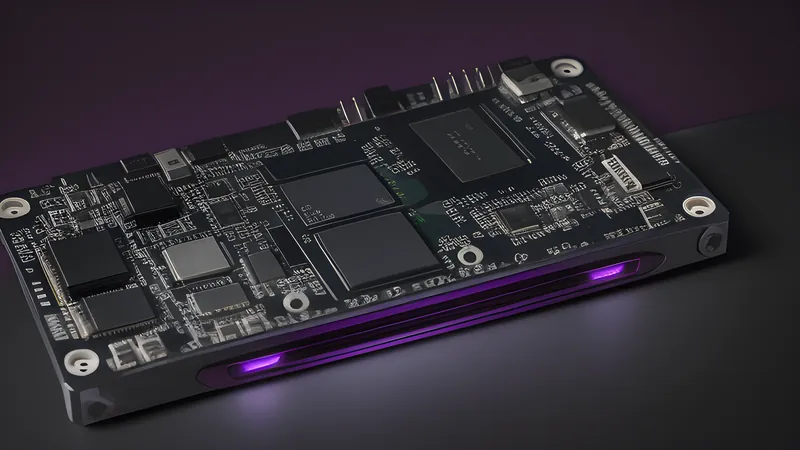
Open a mid-range macropad and the internals are, reassuringly, close cousins of a good mechanical keyboard: a PCB with hot-swap or soldered switch sockets, the same handful of switch families — linear, tactile or clicky — that show up in full-size keyboards, and on the better units, foam dampening between the plate and the case to control the hollow “ping” that a bare plastic shell produces. The cheapest macropads skip that foam entirely and use a thin membrane-style switch under a keycap rather than a genuine mechanical switch, which is the single biggest tell that separates a £15 no-name unit from a £40–£60 one: press-feel and actuation consistency, not the number of keys, is where the money actually goes. Rotary encoders are the other common point of quality variation — a cheap encoder has a noticeably looser, scratchier turn than a well-specified one, and it’s a part that sees thousands of turns over a macropad’s life if it’s mapped to volume control.
Where the category tips into decoration
Pixel-art LED panels and small ambient light gadgets are the honest counter-example: genuinely fun objects that solve no problem beyond wanting a warm, characterful glow on a desk. That’s a legitimate reason to buy something, and Flux owns more than one purely decorative gadget without regret — but it’s worth being honest with yourself about which bucket a purchase falls into before comparing its price to something that actually saves time or displays useful information. A £40 pixel display and a £40 macropad occupy the same rough price band and the same rough desk footprint, but only one of them will still be earning its space in six months once the novelty of the other has worn off. Cable-management trays, ambient bias-lighting strips and the wooden desk mat that appears in nearly every desk-setup photograph sit in the same bucket: genuinely pleasant, entirely optional, and worth budgeting for only once the gadgets that actually solve a problem are paid for.
The genuinely retro desk object: Nixie tube clocks
No desk-gadget category fits the Retro & Enthusiast beat more literally than the Nixie tube clock — small glass tubes containing stacked wire-mesh digit cathodes in a neon-argon fill, originally a 1950s-60s display technology for calculators and lab instruments, now produced in small runs specifically for the enthusiast desk-clock market because nobody makes them for any other reason any more. The tubes themselves are true new-old-stock in some kits (unused Soviet-era or Western industrial tubes bought in bulk from decommissioned equipment) or, increasingly, freshly manufactured by a handful of small specialist glassblowing operations keeping the format alive because demand from this exact hobby justified restarting production. Either way, a genuine Nixie clock needs a high-voltage driver board — commonly a boost converter stepping a 5V or 12V supply up to the 170V or so the tubes need to ionise their gas fill — which is the one component in this whole desk-gadget survey with a real, if small, safety consideration: the driver board carries lethal-adjacent voltages on exposed traces in cheaper kits, and it’s worth buying a version with a properly enclosed driver rather than a bare board if small children or curious pets share the desk. The warm orange glow and the audible faint click of the driver board switching digits is the entire appeal, and it’s a case where the object is genuinely, unapologetically decorative — nobody needs a Nixie clock over a phone’s lock screen for the time — but it earns its place as the rare desk gadget built from a real vintage technology rather than a modern part styled to look retro.
Kit versus pre-built, and why it matters more here than for a macropad
Both Nixie clocks and macropads are commonly sold as either a soldered kit or a finished unit, and the price gap between the two is bigger and more meaningful than it is for most gadgets in this guide. A Nixie clock kit demands comfort with the higher-voltage driver section specifically — this is not the place to learn soldering for the first time, and it’s worth building basic confidence on a lower-stakes project first before working around exposed 170V traces. A macropad kit is a much gentler build: low-voltage switches, a PCB, a case, and firmware flashing rather than anything approaching a safety concern, which makes it a genuinely good first soldering project in a way a Nixie clock kit is not. Buying pre-built removes the risk in both cases at a real cost premium, and for the Nixie clock specifically, that premium buys peace of mind that’s worth paying for unless the build itself is part of what you’re after.
The picks
For genuine ambient information at a glance, an e-ink desk panel showing agenda or weather is worth the money specifically because the technology’s power and refresh trade-offs line up with what a desk glance actually needs — treat anything promising frequent updates on the same panel with suspicion. For a real productivity gain, a macropad with genuine mechanical switches and at least one foam-dampened build detail beats a cheaper membrane unit by enough that the price difference is worth paying, particularly for anyone already spending money on the multitool cable and charging gear that fills out the rest of a considered desk. Everything else in the category — the lamps, the pixel panels, the trinkets — is a decoration purchase, which is a fine thing to want, provided it’s bought as one rather than mistaken for a productivity upgrade.
Related Content